 Shopify developer Atlanta
 experts agree: building a beautiful online store is only half the battle. The real challenge — and the real opportunity — lies in turning visitors into paying customers through smart, strategic ecommerce web design. Whether you’re a local Atlanta brand launching your first Shopify store or an established retailer ready for a serious upgrade, this guide delivers the actionable strategies that separate six-figure stores from the ones collecting digital dust.
Atlanta’s ecommerce market is booming. U.S. retail e-commerce sales hit
$316.1 billion in Q4 2025 alone, a 5.3% year-over-year increase, according to the U.S. Census Bureau — and Georgia-based businesses are capturing a growing share of that revenue. With Shopify even choosing Georgia as the home of its
first U.S. distribution center, the Peach State is clearly on the platform’s radar as a major commerce hub. Now is the time to get your store built right.
Let’s break down exactly how to do it.
Table of Contents
Why Your Ecommerce Web Design Is Costing You Sales
Most Atlanta business owners underestimate how directly their website’s design affects their bottom line. The average Shopify store converts between
1.4% and 3.2% of visitors — but top-performing stores consistently blow past those benchmarks. The difference? Deliberate, expert-led ecommerce web design that removes every possible barrier between a shopper and a purchase.
Atlanta’s Scale Tech, a local digital strategy firm, recently highlighted a
“Digital Blueprint” shift in corporate web strategy — treating your website not as a marketing brochure, but as a core revenue-generating asset. That mindset shift is exactly what separates thriving Atlanta ecommerce brands from those stuck in neutral.
The seven strategies below are what experienced Shopify developers in Atlanta actually implement for their clients. Follow them in order, and you’ll have a conversion-focused roadmap ready to execute.
Strategy 1: Start With a Mobile-First Shopify Theme
The single most impactful decision in your entire website development project is your theme choice — and it must be mobile-first, not mobile-friendly.
Here’s the critical difference:
- Mobile-friendly = a desktop design that shrinks down for phones
- Mobile-first = designed for the smallest screen first, then scaled up
With more than
60% of ecommerce traffic now coming from mobile devices, your Atlanta customers are browsing on their phones while waiting for MARTA, sitting at a Buckhead coffee shop, or scrolling during lunch in Midtown. If your store is clunky on mobile, they’re gone — and they’re not coming back.
Actionable Steps to Implement Right Now
- Choose Dawn, Sense, or Refresh — Shopify’s free themes built with mobile-first architecture
- Use Shopify’s built-in mobile preview in the theme editor before publishing any change
- Test your tap targets — all buttons should be at least 44×44 pixels to accommodate thumbs
- Simplify your mobile navigation — use a hamburger menu with no more than 5 top-level categories
- Enable sticky Add-to-Cart buttons on product pages so the CTA is always visible without scrolling
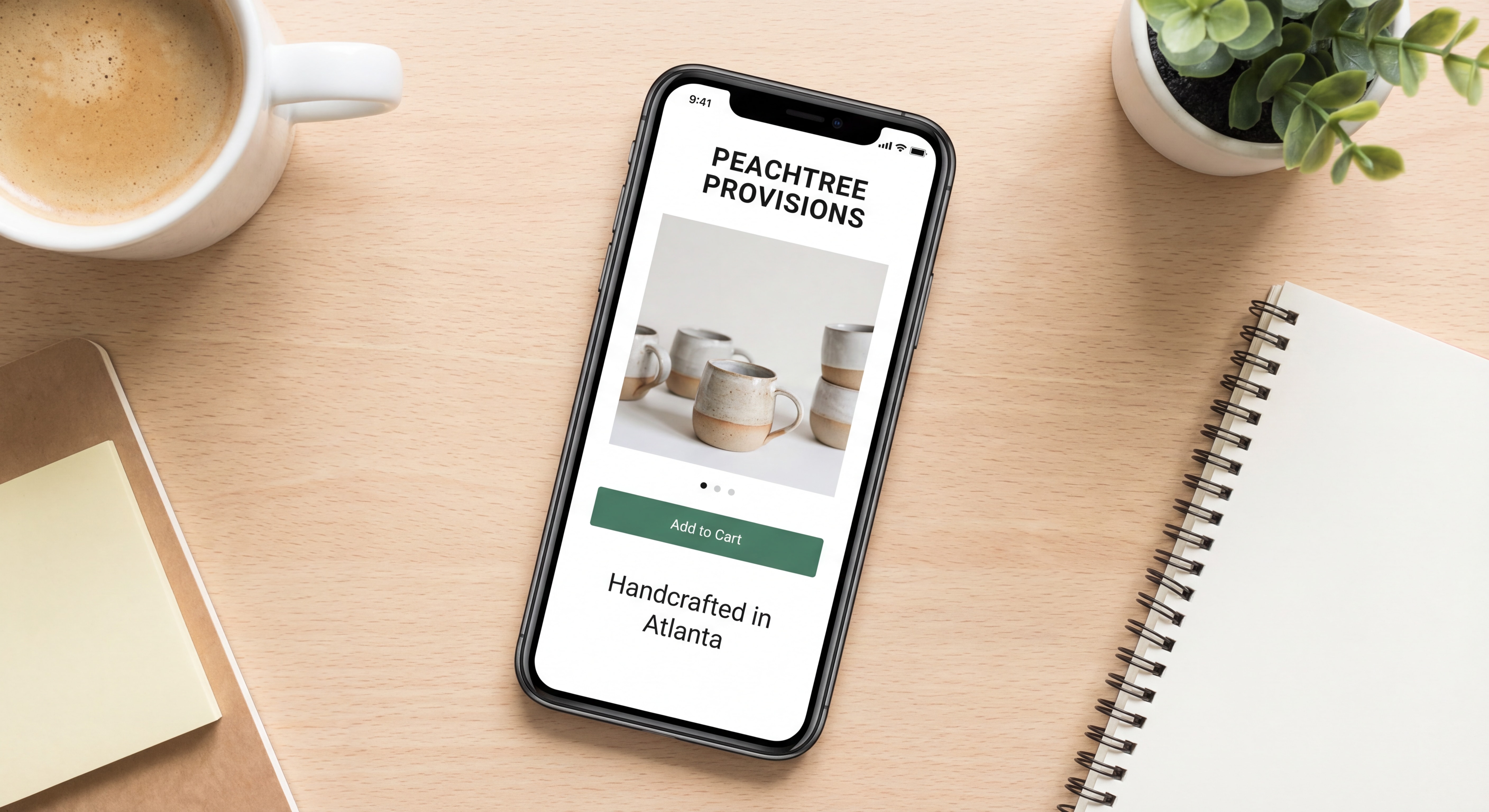
Pro Tip from Atlanta Shopify Developers: Switch to a mobile-first theme before customizing anything else. Retrofitting mobile optimization onto a desktop-centric design is expensive and time-consuming. Build the right foundation from day one.
Strategy 2: Optimize Your Product Pages for Trust and Conversion
Your product page is where the sale is won or lost. Atlanta’s top Shopify developers spend more time perfecting product pages than any other element of ecommerce web design — and the data backs them up.
📊
15% higher conversion rates – Product pages with 50+ reviews
The Product Page Conversion Checklist
Use this checklist to audit every product page on your Shopify store:
| Element |
What to Do |
Expected Conversion Lift |
| Product Images |
5–8 high-res photos + zoom functionality |
+0.3–0.5% |
| Customer Reviews |
Display 50+ reviews prominently |
+0.3–0.6% |
| Security Badges |
Show SSL, payment logos near CTA |
+0.2–0.4% |
| Return Policy |
Visible on product page, not just footer |
+0.2–0.3% |
| Stock Urgency |
Real-time stock levels + “Selling Fast” badges |
+0.2–0.4% |
| Video Content |
30–60 second product demo video |
+0.4–0.6% |
| Benefit-Led Copy |
Lead with outcomes, not specifications |
+0.3–0.5% |
Combined potential lift: up to 2.5 percentage points — which on a store doing $50,000/month in revenue means an additional $15,000+ per month without spending a single extra dollar on ads.
Writing Product Descriptions That Convert
Stop writing spec sheets. Start writing stories. Here’s the formula Atlanta ecommerce brands use:
- Hook — Open with the customer’s problem or desire
- Solution — Position your product as the answer
- Benefits — List 3–5 outcomes the customer will experience
- Proof — Add a micro-testimonial or stat
- CTA — One clear, action-oriented button (“Add to Cart” or “Get Yours Today”)
Strategy 3: Slash Your Page Load Time Below 2 Seconds
Speed is not a technical nicety — it’s a revenue driver. Every additional second of load time
reduces conversions by 7–10%, according to industry benchmarks. For a store doing $100,000/month, a 3-second load time instead of a 1-second load time could be costing you $20,000 or more every single month.
“Each second of load time delay can reduce ecommerce conversions by 7-10%”
— Red Stag Fulfillment Shopify Benchmark Study 2026
How to Get Your Shopify Store Under 2 Seconds: Step-by-Step
Step 1: Audit your current speed
Run your store through Google PageSpeed Insights and Shopify’s built-in speed score. Anything below 50 on mobile is a red flag.
Step 2: Compress every image
Use WebP format instead of JPEG or PNG. Tools like TinyIMG or Crush.pics integrate directly with Shopify and can reduce image file sizes by up to 70% without visible quality loss.
Step 3: Remove bloated apps
Every Shopify app you install adds JavaScript to your storefront. Audit your installed apps quarterly — if you’re not actively using it, delete it. A lean app stack of 5–10 focused tools outperforms a bloated 30-app setup every time.
Step 4: Leverage Shopify’s CDN
Shopify’s global Content Delivery Network is built in — but you need to ensure your theme isn’t overriding it with external asset calls. A skilled Shopify developer in Atlanta can audit your theme code for these issues in under an hour.
Step 5: Lazy-load below-the-fold images
Images that appear below the visible screen area should only load when the user scrolls to them. This dramatically improves your Largest Contentful Paint (LCP) score — a core Google ranking factor.
Real-world result: Sunday Citizen, a Shopify brand that implemented speed-focused optimizations, saw a
25% improvement in LCP, a 61% improvement in CLS, and a 6% increase in conversion rates — just from performance improvements alone.
Strategy 4: Streamline Checkout to Eliminate Friction
Cart abandonment is the silent killer of Atlanta ecommerce businesses. The industry average abandonment rate sits at
70% — meaning 7 out of every 10 shoppers who add something to their cart never complete the purchase.
The good news? Most of that abandonment is preventable with smart checkout design.
The Friction-Free Checkout Framework
Enable Express Checkout Options
Shopify’s native Shop Pay, Apple Pay, and Google Pay allow customers to complete a purchase in two taps. Stores that offer these options see a
+0.3–0.5% conversion lift on average. If you’re not showing these payment buttons prominently on your product pages and cart, you’re leaving money on the table.
Remove Forced Account Creation
Requiring shoppers to create an account before purchasing is one of the biggest conversion killers in ecommerce web design. Always offer guest checkout. You can invite account creation
after the purchase is complete.
Minimize Form Fields
Audit your checkout form. Do you really need a “Company Name” field for a B2C store? Every unnecessary field you remove reduces friction and increases completions. The ideal checkout asks for: email, shipping address, and payment info — nothing more.
Add Buy Now, Pay Later (BNPL)
Integrating Afterpay, Klarna, or Affirm into your Shopify store can increase average order value by 20–30% and attract customers who prefer flexible payment. Atlanta’s diverse customer base, from college students to established professionals, responds strongly to BNPL options.
Deploy Exit-Intent Recovery
Configure exit-intent popups that trigger when a user moves their cursor toward the browser close button. Offer a 10–15% first-order discount or free shipping. Time these to appear after 30+ seconds of engagement to avoid annoying new visitors. Brands using this tactic report a
15–25% improvement in cart recovery rates.
Strategy 5: Bake Local SEO Into Your Website Development
Here’s a strategy that many Atlanta ecommerce businesses completely overlook:
local SEO. Even if you sell nationally, ranking for local search terms like “Shopify developer Atlanta” or “ecommerce web design Atlanta” drives high-intent traffic from buyers who want to work with or buy from local businesses.
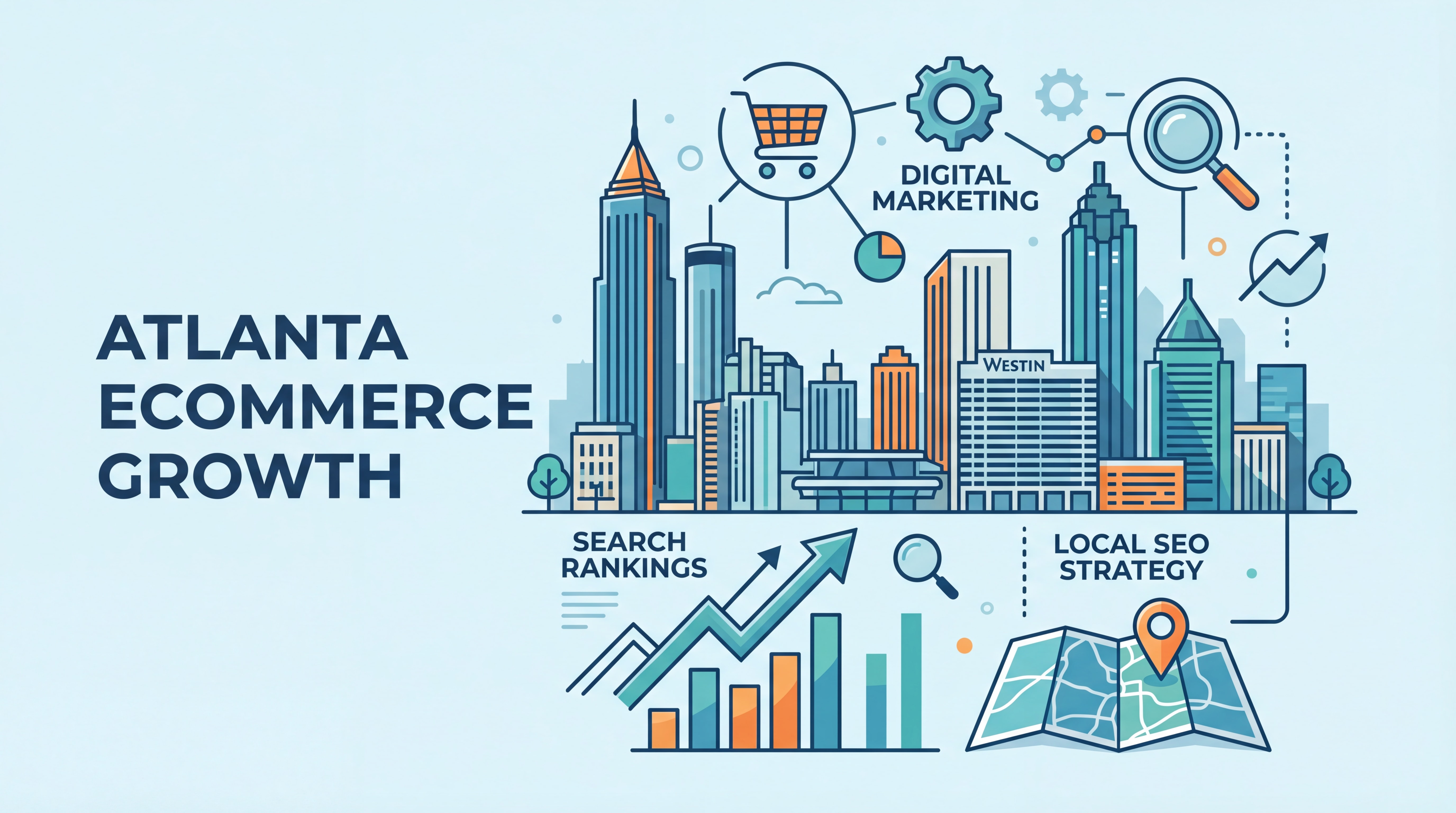
Atlanta’s digital landscape is evolving fast. A March 2026 report highlighted that
search is fragmenting rapidly — customers are finding businesses through AI-powered search, voice queries, and local map packs, not just traditional Google results. Your website development strategy must account for all of these channels.
Local SEO Action Plan for Atlanta Ecommerce Stores
1. Claim and Optimize Your Google Business Profile
Even as a Shopify store, a Google Business Profile signals local legitimacy. Fill out every field, add photos, and collect reviews consistently.
2. Create Atlanta-Specific Landing Pages
If you serve Atlanta customers with local pickup, same-day delivery, or in-person consultations, build dedicated landing pages targeting terms like “ecommerce web design Atlanta” or “website development Atlanta.” These pages capture high-intent local searches.
3. Embed Local Keywords Naturally
Your product descriptions, About page, and blog posts should reference Atlanta, Georgia, and relevant neighborhoods (Buckhead, Midtown, Decatur, etc.) where it makes contextual sense.
4. Build Local Citations
List your Atlanta business on the Chamber of Commerce directory, Atlanta Business Chronicle, Yelp, and industry-specific directories. Consistent NAP (Name, Address, Phone) data across all listings strengthens your local authority.
5. Target Long-Tail Local Keywords
Instead of competing for “Shopify developer” (extremely competitive), target:
- “Shopify developer Atlanta GA”
- “ecommerce web design company Atlanta”
- “Shopify store setup Atlanta small business”
These long-tail terms have lower competition and attract buyers who are much closer to making a decision.
Strategy 6: Use a Proven Hiring Checklist for Your Shopify Developer
Choosing the wrong Shopify developer for your Atlanta website development project is an expensive mistake. A poorly built store can cost you tens of thousands in lost revenue and rework fees. Use this battle-tested checklist to vet every candidate.
The 7-Step Shopify Developer Vetting Checklist
| Step |
What to Do |
Why It Matters |
| 1. Define Your Scope |
Document goals, features, and budget before reaching out |
Prevents scope creep and budget overruns |
| 2. Review Their Portfolio |
Ask for live Shopify store URLs, not screenshots |
Screenshots can be faked; live stores prove real capability |
| 3. Check Liquid Proficiency |
Ask to see custom Liquid code samples |
Shopify’s templating language is non-negotiable for custom work |
| 4. Verify Client References |
Speak directly to 2–3 past clients |
Confirms reliability, communication, and accountability |
| 5. Assign a Paid Test Task |
Give a small, paid coding challenge |
Reveals actual output quality before committing to a full project |
| 6. Assess Communication Style |
Evaluate responsiveness and clarity in first interactions |
Poor communicators become expensive problems at launch |
| 7. Set Milestone-Based Contracts |
Define deliverables, payment schedule, and launch date in writing |
Protects both parties and keeps projects on track |
Red Flags to Watch For
- Vague pricing with no itemized breakdown
- No analytics or KPI tracking in their process
- Over-reliance on page builders without custom code capability
- No verifiable local Atlanta references or case studies
- Promises that seem too good to be true (e.g., “Your store will rank #1 in 30 days”)
📊
E-commerce enablement is among the top 5 fastest-growing sectors for Atlanta startups – Atlanta ecommerce startup activity
Strategy 7: Build a Post-Launch Optimization Rhythm
The biggest mistake Atlanta ecommerce businesses make is treating their Shopify store as a “build it and forget it” project. Your website development is never truly finished — it’s a living asset that requires ongoing care to maintain and improve performance.
Your Monthly Optimization Calendar
Week 1: Technical Audit
- Check page speed scores on PageSpeed Insights
- Review Shopify’s built-in analytics for bounce rate spikes
- Test checkout flow on mobile and desktop
- Verify all apps are up to date
Week 2: Content Optimization
- Review top 10 product pages for conversion signals
- Update any seasonal or time-sensitive content
- Add new customer reviews to featured products
- Publish one SEO-optimized blog post targeting a long-tail keyword
Week 3: A/B Testing
- Run one active test on your highest-traffic product page (headline, CTA button color, or image)
- Review results from the previous month’s test
- Implement the winning variation permanently
Week 4: Analytics Review
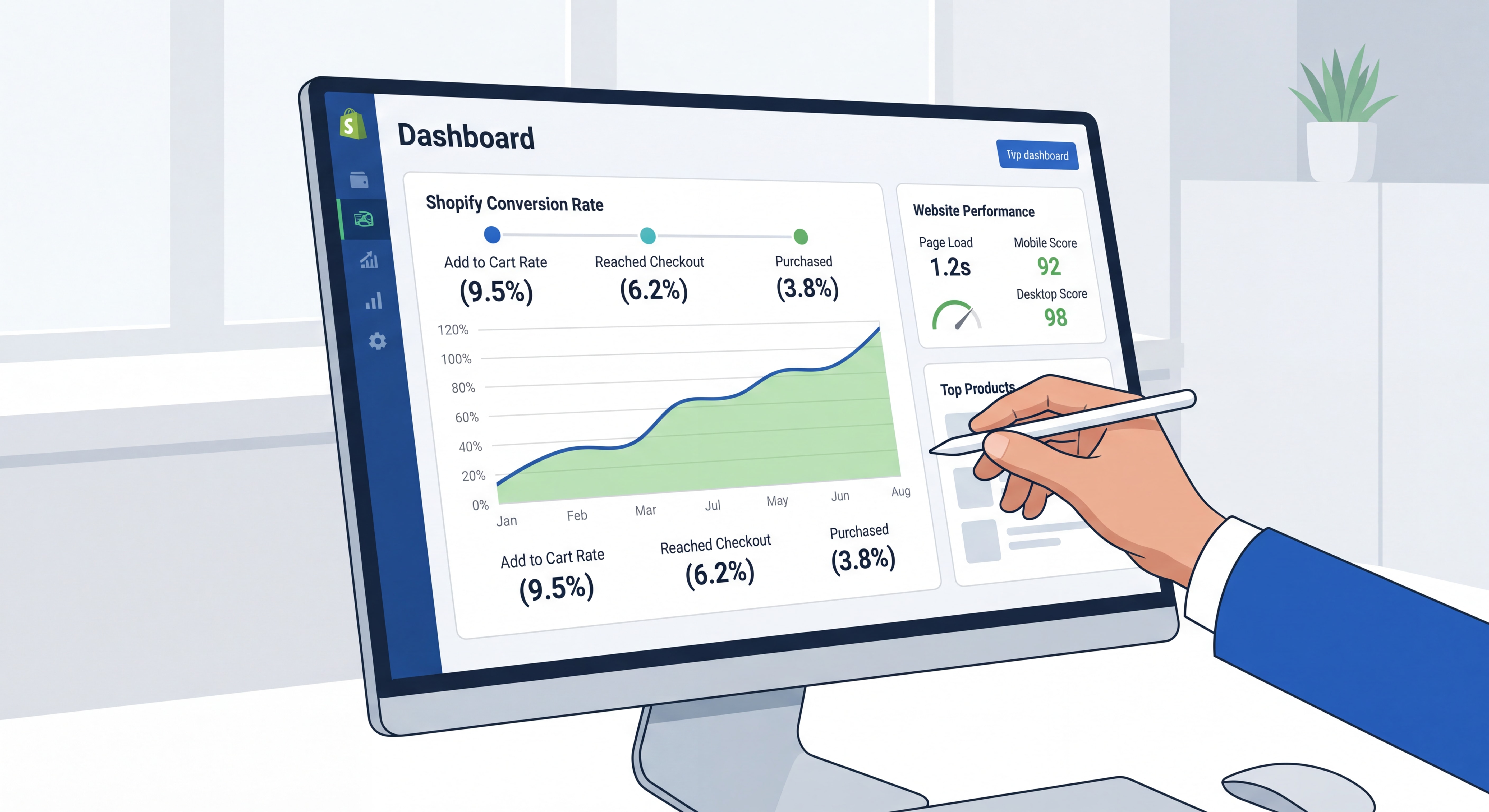
- Pull your monthly conversion rate report
- Identify your top 5 traffic sources and their respective conversion rates
- Set one specific improvement goal for the following month
- Review cart abandonment rate and adjust exit-intent strategy if needed
The compounding effect is real. Implementing multiple optimization tactics — speed, trust signals, checkout streamlining, and content — can lift your conversion rate by 1.0–2.5 percentage points combined, according to 2026 Shopify benchmark data. For a store with 10,000 monthly visitors and a $75 average order value, that’s an additional $7,500–$18,750 in monthly revenue.
Shopify Platform Comparison for Atlanta Businesses
Not sure if Shopify is the right platform for your Atlanta ecommerce project? Here’s how the leading options stack up:
| Platform |
Best For |
Monthly Cost |
Customization |
Ease of Use |
Shopify App Ecosystem |
| Shopify |
Growing DTC brands, retail |
$39–$399+ |
High |
★★★★★ |
8,000+ apps |
| Shopify Plus |
Enterprise / $1M+ revenue |
$2,300+ |
Very High |
★★★★☆ |
Full API access |
| WooCommerce |
WordPress-native businesses |
$0 + hosting |
Very High |
★★★☆☆ |
Large but fragmented |
| BigCommerce |
B2B + complex catalogs |
$39–$399+ |
High |
★★★★☆ |
Robust |
| Magento |
Large enterprise custom builds |
$22,000+/yr |
Unlimited |
★★☆☆☆ |
Developer-heavy |
For most Atlanta small and mid-sized businesses entering or scaling in ecommerce,
Shopify strikes the ideal balance of power, ease of use, and ecosystem depth. A qualified Shopify developer in Atlanta can have a production-ready store live in 4–8 weeks, compared to 3–6 months for a custom Magento build.
Chiffres Clés
📊
$316.1 billion — U.S. retail e-commerce sales in Q4 2025, up 5.3% year-over-year (Source: U.S. Census Bureau / Georgia Department of Economic Development, 2026)
💡
70% — Average cart abandonment rate for ecommerce stores; most of it preventable with better checkout design (Source: Shopify Benchmark Data 2026)
⚡
7–10% — Conversion rate reduction for every additional second of page load time (Source: Red Stag Fulfillment Shopify Benchmark Study 2026)
🏆
2.5 percentage points — Maximum combined conversion rate lift from implementing multiple CRO strategies simultaneously (Source: On Tap Shopify CRO Guide, March 2026)
📊
16.6% of all retail sales in Q4 2025 – U.S. ecommerce as share of total retail
Questions Fréquentes (FAQ)
How much does it cost to hire a Shopify developer in Atlanta?
Shopify developer rates in Atlanta vary based on scope and experience level. Freelance developers typically charge
$75–$150/hour, while established Atlanta agencies range from
$150–$250/hour or offer project-based pricing starting at $5,000–$15,000 for a full store build. Enterprise-level projects with custom app integrations can exceed $50,000. Always request an itemized proposal with milestone-based payment schedules to protect your investment.
How long does Shopify ecommerce web design take in Atlanta?
A well-scoped Shopify project with a qualified Atlanta developer typically takes
4–8 weeks from kickoff to launch for a standard store. Complex builds with custom Liquid development, third-party integrations (ERP, POS, CRM), or headless architecture can take 12–20 weeks. The biggest cause of delays is an undefined scope — the more clearly you document your requirements upfront, the faster your project will move.
What’s the most important element of ecommerce web design for conversion?
According to 2026 Shopify benchmark data,
site speed and mobile optimization deliver the highest conversion lift of any single design factor. Stores that load in under 2 seconds on mobile convert at significantly higher rates than slower competitors. After speed, product page trust signals (reviews, security badges, return policy) and a streamlined checkout process have the greatest impact on revenue.
Should Atlanta businesses use Shopify or WooCommerce for their ecommerce store?
For most Atlanta businesses,
Shopify is the stronger choice due to its faster setup time, built-in security, superior mobile performance, and lower total cost of ownership over time. WooCommerce makes sense if you already have a WordPress site with significant content investment and need tight content-commerce integration. A qualified Atlanta Shopify developer can help you evaluate both options based on your specific business model, budget, and growth goals.
How do I find a reputable Shopify developer in Atlanta?
Start with the
Shopify Partner Directory (partners.shopify.com), which lists vetted developers and agencies with verified reviews. You can also check Clutch.co for Atlanta-specific agency rankings with verified client testimonials. When evaluating candidates, always request live store URLs (not screenshots), ask for client references you can actually call, and assign a small paid test task before committing to a full project engagement.
Conclusion: Your Atlanta Ecommerce Success Starts With the Right Strategy
Building a high-converting Shopify store in Atlanta isn’t about luck — it’s about applying the right strategies in the right order. Start with a mobile-first foundation, optimize every product page for trust, eliminate speed bottlenecks, streamline your checkout, bake in local SEO from day one, hire your developer with a rigorous vetting process, and commit to ongoing optimization after launch.
Atlanta’s ecommerce market is growing rapidly, and the businesses that invest in professional
ecommerce web design and expert
website development in Atlanta today will be the ones dominating their categories tomorrow.
Ready to build a Shopify store that actually converts? Work with an experienced Shopify developer in Atlanta who understands both the technical requirements and the local market dynamics that drive real results. Your next revenue breakthrough is one well-built store away.