It's 11:47 PM on a Tuesday. A potential client in Buckhead just landed on your HVAC company's website. They've got a broken AC unit and a credit card in hand. They fill out your contact form, hit submit — and get an auto-reply that says "We'll get back to you within 24–48 hours."
They close your tab and book your competitor in under three minutes.
That's not a hypothetical. That's happening to Atlanta small businesses every single night. And the fix isn't hiring more staff or paying for more ads. It's deploying a small business chatbot that works while you sleep.
This guide isn't about what chatbots are. It's about exactly how to set one up, configure it for conversions, and put it to work on your WordPress or Shopify site — with real numbers, real pricing, and zero fluff.
Table of Contents
- Why Most Atlanta Businesses Are Losing Leads Right Now
- Strategy 1: Configure Your Chatbot to Qualify Leads, Not Just Greet Them
- Strategy 2: Add AI Chatbots to WordPress in Under 15 Minutes
- Strategy 3: Turn Your Shopify Store Into a 24/7 Sales Machine
- Strategy 4: Use Voice Chatbots to Capture Mobile-First Customers
- Strategy 5: Build a Lead Qualification Flow That Replaces a Sales Rep
- Strategy 6: Choose the Right Pricing Tier for Your Business Size
- Strategy 7: Measure What Matters — Chatbot KPIs That Drive Revenue
- Before vs. After: A Real Atlanta Business Scenario
- FAQ
- Key Statistics
Why Most Atlanta Businesses Are Losing Leads Right Now
Atlanta is one of the most competitive small business markets in the Southeast. Midtown is packed with law firms, med spas, and marketing agencies all fighting for the same Google clicks. In Buckhead, boutique retailers and service businesses are competing not just on price — but on speed. And in the Old Fourth Ward, restaurants and local service providers are dealing with a customer base that expects an answer in seconds, not hours.
Here's the uncomfortable truth: your contact form is killing your conversions.
Static forms have an average conversion rate of under 2%. A well-configured AI chatbot on the same page can convert at 8–12%. That's not a marginal improvement — that's the difference between three new clients a month and fifteen.
The other problem? Most small businesses think chatbots are complicated, expensive, or "not ready for them yet." That's wrong on all three counts. Anthropic just launched Claude for Small Business with dedicated automation workflows in May 2026. Shopify is actively building chatbot commerce directly into its platform. The tools are here. The question is whether you're using them.
"Shopify wants chatbots to become the internet's next shoppers, actively building commerce-native AI agents"
— YourStory.com
Strategy 1: Configure Your Chatbot to Qualify Leads, Not Just Greet Them
Most business owners make the same mistake: they install a chatbot, set it to say "Hi! How can I help you today?" and call it done. That's a receptionist, not a sales tool.
A properly configured small business chatbot should do four things the moment someone lands on your site:
- Identify intent — Are they ready to buy, just browsing, or looking for support?
- Collect qualifying information — Budget, timeline, service needed, location (Decatur? Marietta? Downtown Atlanta?)
- Route appropriately — High-intent leads go to a booking flow. Low-intent leads get nurtured with content.
- Follow up automatically — If someone drops off mid-conversation, trigger a re-engagement sequence.
Here's a practical qualification flow for a service business:
Chatbot: "Hey! Are you looking for [Service A], [Service B], or something else?"
→ User selects option
Chatbot: "Great. What's your timeline — do you need this within the next week, or are you still in planning mode?"
→ User responds
Chatbot: "Perfect. What's the best way to reach you — phone or email?"
→ Lead captured + routed to CRM
This takes under 10 minutes to build in any major platform. The payoff? You stop wasting sales calls on tire-kickers and start spending your time on people who are actually ready to move.
📊 Responding within 1 minute increases conversion by 45% – Lead response speed impact
Strategy 2: Add AI Chatbots to WordPress in Under 15 Minutes
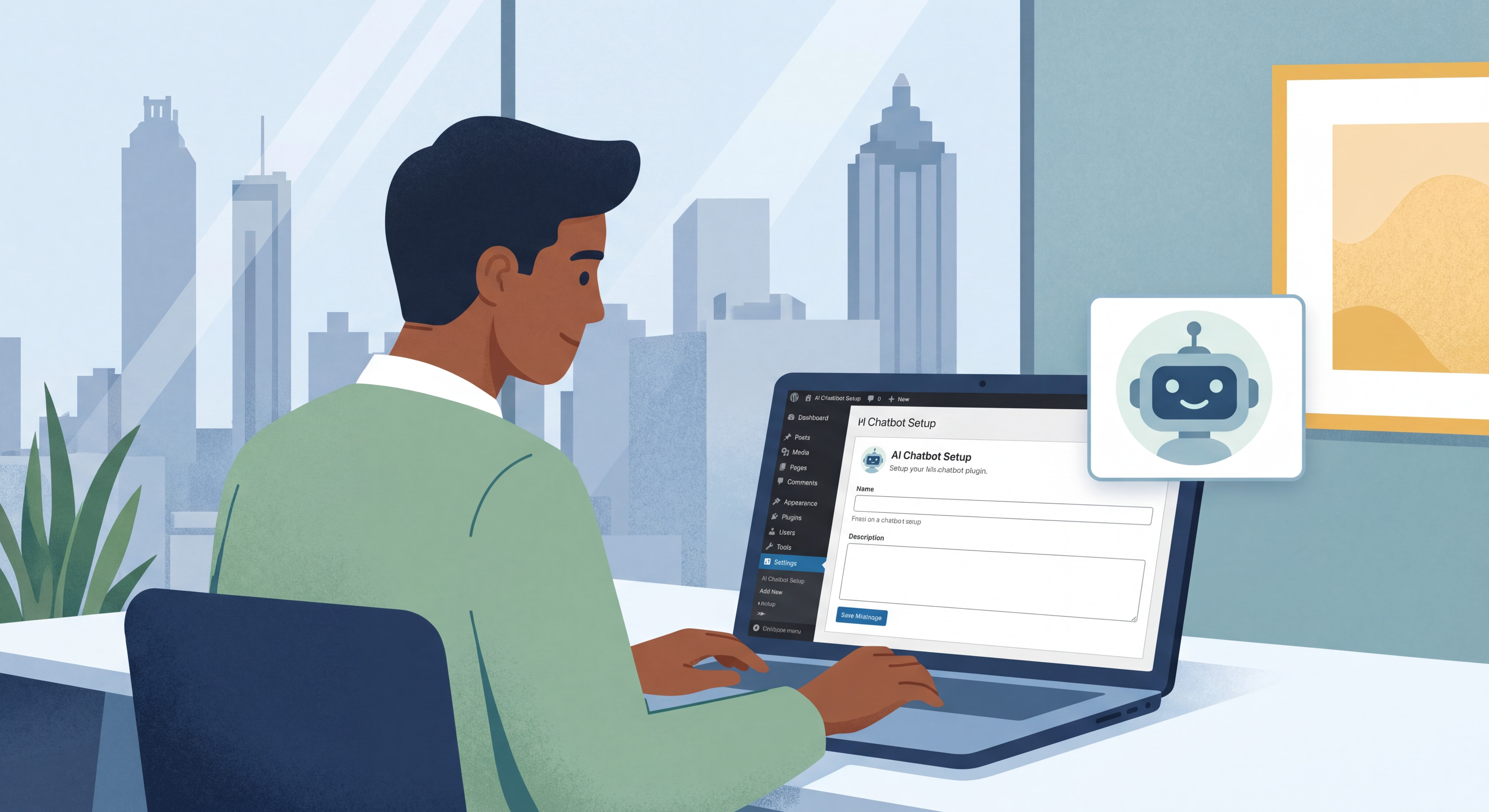
If your Atlanta business runs on WordPress — and statistically, there's a good chance it does — you have two clean paths to deployment.
Method A: Install a Native Plugin (Recommended for Beginners)
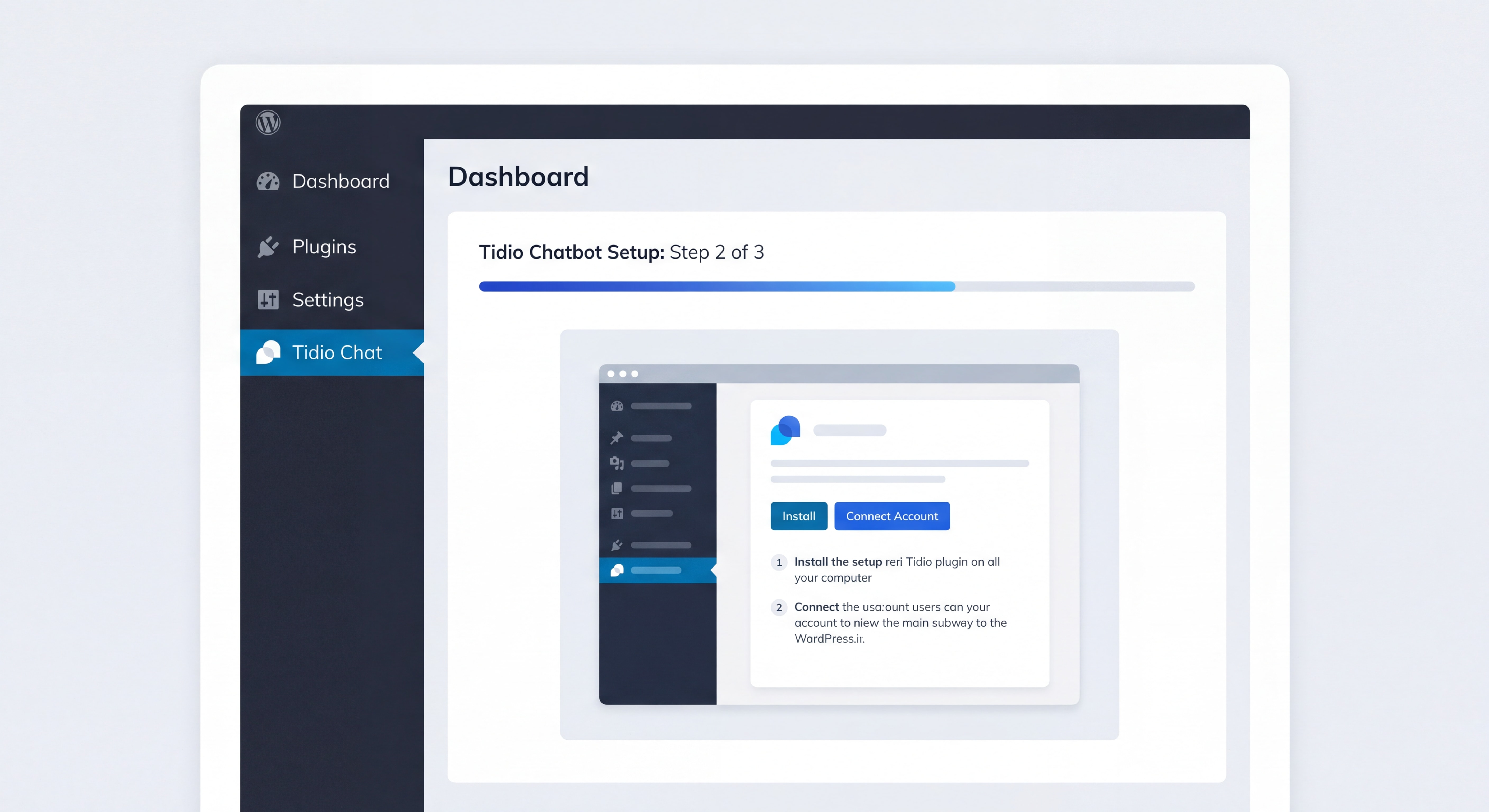
The AI Journal published a step-by-step guide in May 2026 confirming that WordPress chatbots can be live in minutes using native plugins. Here's the fastest path:
- Go to Plugins → Add New in your WordPress dashboard
- Search for Tidio, Chatbase, or WPBot
- Click Install Now → Activate
- Connect your account and paste your API key
- Customize the widget color, greeting message, and conversation flow
- Hit publish — your chatbot is live
Tidio is the most popular choice for small businesses. The free tier handles 50 conversations per month. The Lyro AI add-on (from $39/month) lets the bot answer questions by pulling directly from your FAQ content and website copy — no manual training required.
Method B: JavaScript Snippet (Works with Any Platform)
If you're using a chatbot platform that doesn't have a native WordPress plugin, install the WPCode plugin, paste the chatbot's JavaScript snippet into the header section, and save. Done. This works for Intercom, Drift, Chatbase, and most enterprise platforms.
Pro tip for Atlanta service businesses: Add a geo-specific greeting trigger. If a visitor comes from an Atlanta-area IP address, have the chatbot open with something like: "Hey! Are you local to the Atlanta area? We offer same-day service in Buckhead, Midtown, and surrounding neighborhoods." That one personalization move alone can lift engagement rates by 20–30%.
Strategy 3: Turn Your Shopify Store Into a 24/7 Sales Machine
If you're running an e-commerce store on Shopify, the opportunity is even bigger — and more immediate. Shopify chatbots aren't just customer service tools. They're revenue generators.
Recent data from Shopify merchants in 2026 shows that stores using proactive AI chatbots see 30–67% conversion rate increases. Here's how to replicate that:
The 5 Shopify Chatbot Flows You Need to Build Right Now
1. Abandoned Cart Recovery
Set a trigger: if a visitor adds items to cart but doesn't check out within 10 minutes, have the chatbot pop up with: "Still thinking it over? Here's a 10% discount code if you complete your order in the next 15 minutes." Cart recovery rates jump from 12% to 32% with this single automation.
2. Post-Purchase Upsell
After a confirmed order, trigger a chatbot message suggesting a complementary product. One home goods Shopify store added $9,000/month in pure incremental revenue from this flow alone — with a 24% conversion rate on chatbot-suggested add-ons.
3. Product Recommendation Engine
When a visitor lands on a category page without clicking through, have the chatbot ask: "Not sure what you're looking for? Tell me what you need and I'll point you to the right product." This mimics the in-store experience and dramatically reduces bounce rate.
4. WhatsApp Order Updates
According to PC Tech Magazine (May 2026), Shopify WhatsApp chatbot integrations are one of the highest-ROI moves available to small merchants. Connect your Shopify store to WhatsApp Business API and automate order confirmations, shipping updates, and delivery notifications. Customers get the info they want. Your support inbox empties out.
5. After-Hours Sales Coverage
Your store doesn't close at 5 PM — your chatbot doesn't either. Configure it to handle product questions, sizing guides, and policy FAQs 24/7. Shopify stores with AI chatbots report handling 70% of customer inquiries without human intervention.
📊 Stores see 35% higher conversion rates with AI chatbots – Shopify AI chatbot impact
Strategy 4: Use Voice Chatbots to Capture Mobile-First Customers
Here's a strategy most Atlanta businesses aren't using yet: voice chatbots.
As of 2026, AI chatbot widgets with voice support are now available on mobile platforms including CarPlay integrations (reported by 9to5Mac, May 2026). For local service businesses — think HVAC, plumbing, dental, law firms — this matters. A significant portion of your inbound traffic is coming from mobile users who are driving or multitasking. They're not going to type out a message.
How to implement voice support on your chatbot:
- Choose a platform that supports voice input (Voiceflow, Tidio Pro, and several others now offer this)
- Enable the microphone permission prompt on your chat widget
- Configure a voice-friendly greeting: short sentences, clear questions, no jargon
- Set up voice-to-text lead capture so spoken responses populate your CRM fields automatically
For an Atlanta dental practice or law firm in Sandy Springs, a voice-enabled chatbot that lets someone say "I need an appointment for a consultation" while driving on I-285 is a genuine competitive advantage.
Strategy 5: Build a Lead Qualification Flow That Replaces a Sales Rep
This is where AI chatbots start paying for themselves in a serious way. A well-built qualification flow does the work of a $60,000/year SDR — 24 hours a day, 7 days a week, without sick days.
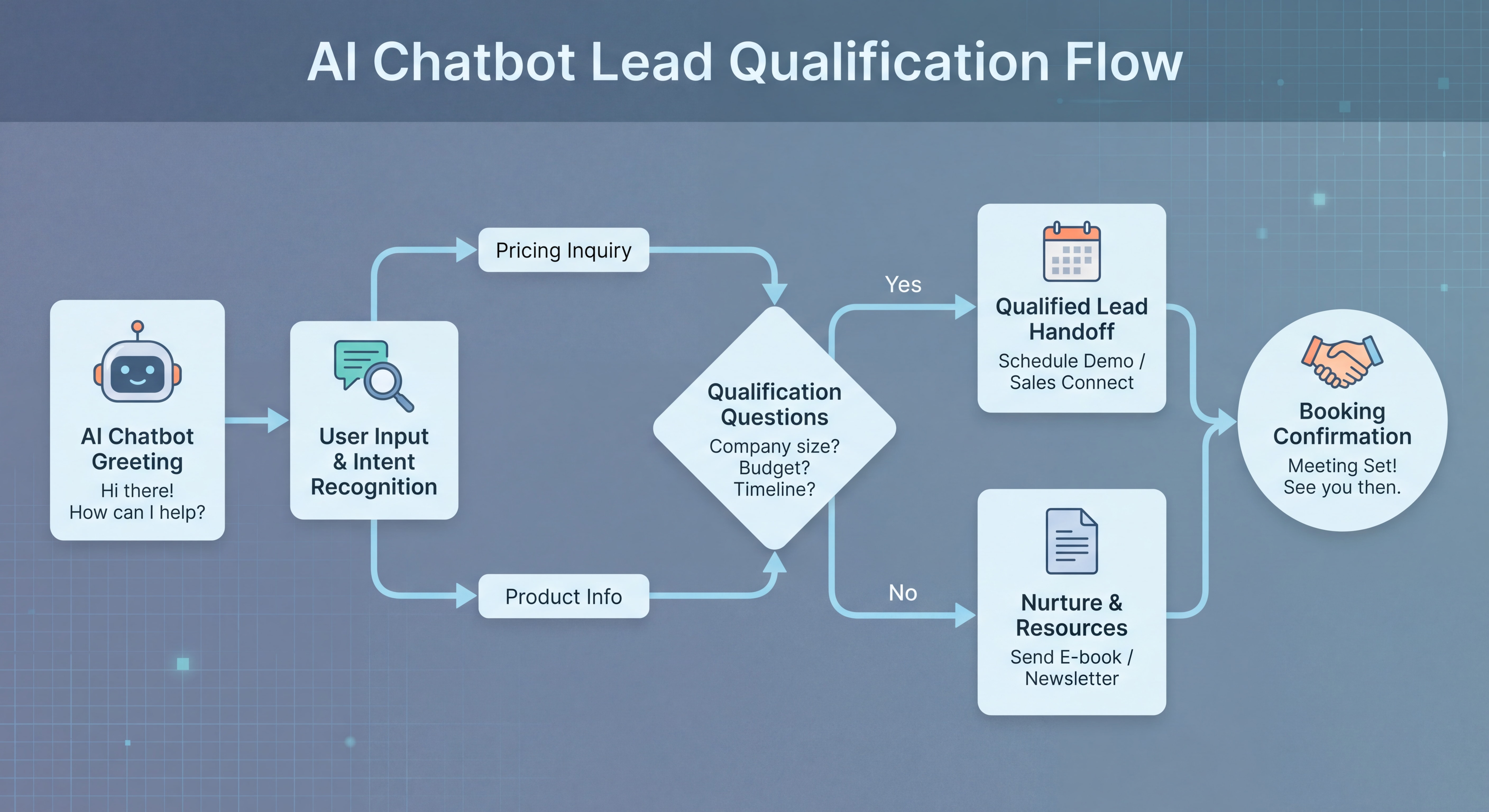
Here's a complete lead qualification framework you can implement this week:
| Stage | Chatbot Action | Goal |
|---|---|---|
| Greeting | Personalized opener based on page visited | Establish context |
| Intent Check | "What brings you here today?" with 3 options | Identify need |
| Budget Qualifier | "Are you working with a budget in mind?" | Filter serious buyers |
| Timeline Qualifier | "When are you looking to get started?" | Prioritize hot leads |
| Contact Capture | "Best number or email to reach you?" | Lock in the lead |
| Booking Trigger | Calendar link for high-intent leads | Convert immediately |
| Nurture Trigger | Email sequence for low-intent leads | Build relationship |
The key insight here: don't ask for contact info first. Build value and context through 2–3 questions before asking for a name and email. Conversion rates on contact capture jump by 35–45% when the chatbot has already demonstrated relevance.
Strategy 6: Choose the Right Pricing Tier for Your Business Size
One of the biggest barriers Atlanta small business owners cite is cost uncertainty. Here's a clear breakdown of what you'll actually pay in 2026:
| Tier | Monthly Cost | Best For | What You Get |
|---|---|---|---|
| Free / Starter | $0–$29/mo | Solo operators, new businesses | 50–200 conversations, basic flows, widget customization |
| Small Business | $39–$99/mo | Growing businesses, 1–10 staff | AI responses, CRM integration, lead capture, email notifications |
| Professional | $100–$299/mo | Established businesses, e-commerce | Advanced AI, Shopify/WordPress deep integration, analytics, multi-channel |
| Agency / Enterprise | $300–$1,000+/mo | Multi-location, high-volume | Custom AI training, white-label, dedicated support, unlimited conversations |
The ROI math is straightforward. If your average client is worth $3,000 and your chatbot captures just 5 additional qualified leads per month — converting at even a 20% rate — that's $3,000 in new revenue from a $79/month tool.
For most Atlanta service businesses (HVAC, law, dental, real estate), the $99–$199/month tier is the sweet spot. You get full AI capability, CRM sync, and enough conversation volume to handle real traffic without overpaying for enterprise features you don't need yet.
Strategy 7: Measure What Matters — Chatbot KPIs That Drive Revenue
Deploying a chatbot without tracking performance is like running Google Ads without checking conversions. Here are the five metrics every Atlanta small business owner should monitor weekly:
- Engagement Rate — What percentage of visitors interact with the chatbot? Target: 15–25%
- Lead Capture Rate — Of those who engage, how many leave their contact info? Target: 30–50%
- Conversation Completion Rate — How many users finish the full qualification flow? Target: 40–60%
- Booking/Conversion Rate — How many chatbot conversations result in a booked appointment or sale? Target: 10–20%
- Deflection Rate — How many support questions does the bot resolve without human intervention? Target: 60–75%
Most platforms (Tidio, Intercom, Chatbase) provide these metrics in their native dashboards. Review them weekly for the first month, then monthly once you've established a baseline. If engagement rate is below 10%, adjust your trigger timing and greeting message. If lead capture rate is below 20%, simplify your qualification flow — you're asking too much too soon.
Before vs. After: A Real Atlanta Business Scenario
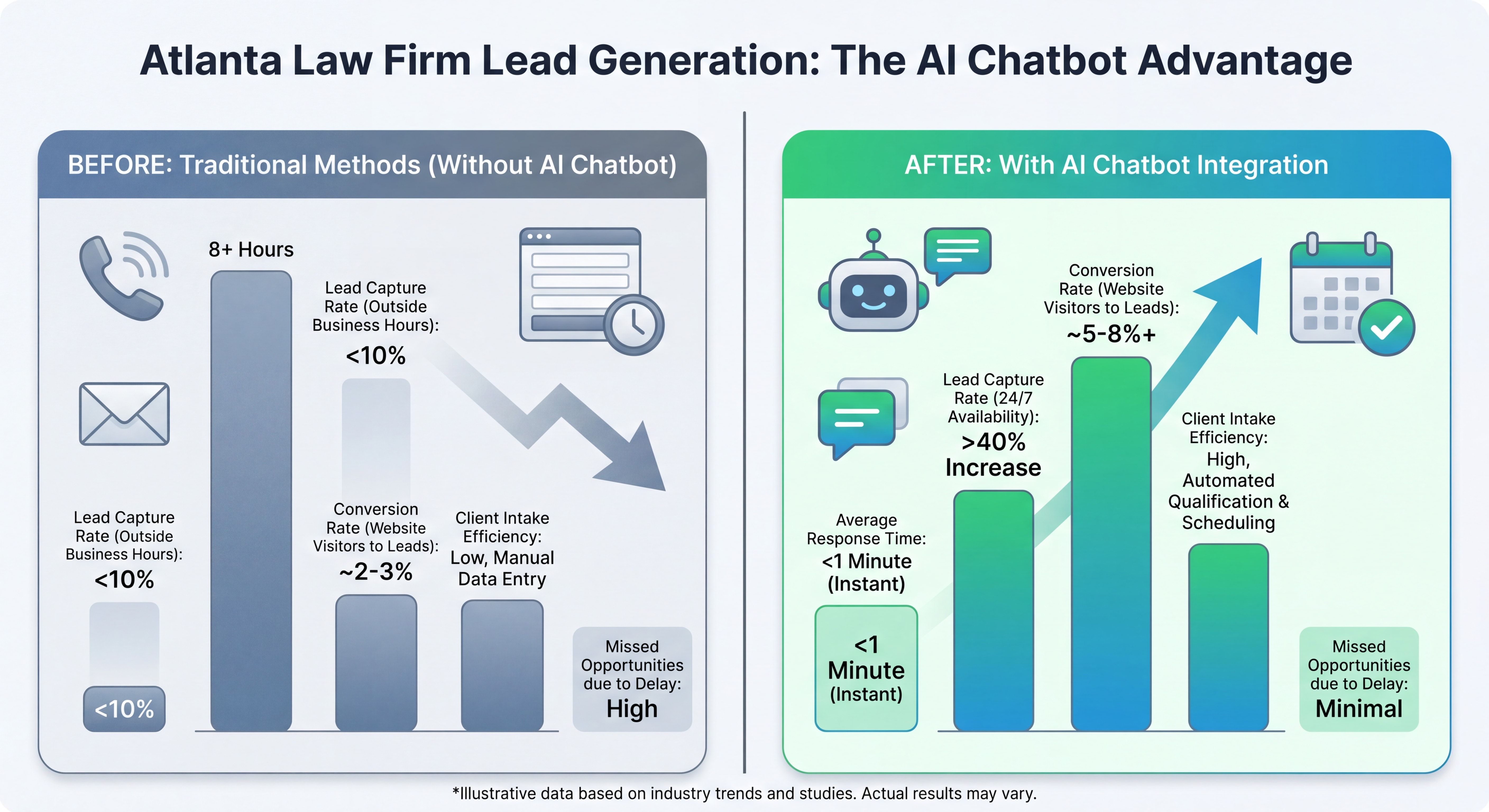
Let's make this concrete. Here's a hypothetical but entirely realistic scenario for a Midtown Atlanta law firm:
Before Chatbot:
- Website gets 800 visitors/month
- Contact form conversion rate: 1.8% = 14 form submissions
- Response time: next business day
- Lead-to-consultation rate: 40% = 6 consultations/month
- Average case value: $4,500
After Chatbot (3 months in):
- Same 800 visitors/month
- Chatbot engagement rate: 22% = 176 interactions
- Lead capture rate: 38% = 67 qualified leads
- Immediate response, 24/7 availability
- Lead-to-consultation rate: 35% (slightly lower — chatbot pre-qualifies better) = 23 consultations/month
- Average case value: $4,500
The result: From 6 to 23 potential consultations per month. That's a 283% increase in pipeline — from a $149/month tool.
Related Services
Looking to deploy an AI chatbot for your Atlanta business? Our team specializes in custom chatbot strategy, WordPress chatbot integration, and Shopify chatbot setup for small businesses across the Atlanta metro area — from Buckhead to Alpharetta to East Atlanta Village.
Frequently Asked Questions (FAQ)
How long does it take to set up an AI chatbot on a WordPress site?
With a native plugin like Tidio or Chatbase, you can have a working chatbot live on your WordPress site in 10–15 minutes. The basic install requires no coding — just install the plugin, connect your account, and customize the greeting message. A more advanced setup with custom qualification flows and CRM integration typically takes 2–4 hours.
What's the best AI chatbot for a small business with a tight budget?
For businesses just starting out, Tidio's free tier (50 conversations/month) or Chatbase's free plan are solid starting points. If you're ready to invest, the $39–$99/month range gives you full AI capability, lead capture, and CRM integration — enough for most Atlanta small businesses under 500 monthly website visitors.
Can a Shopify chatbot actually recover abandoned carts?
Yes — and this is one of the highest-ROI use cases available. Shopify chatbots configured with cart abandonment triggers typically recover 20–40% of abandoned carts, compared to 1–3% for traditional email sequences. The key is timing: trigger the chatbot message within 10–15 minutes of cart abandonment, and include either a discount incentive or a simple "Can I help you find the right option?" prompt.
Do AI chatbots work for service businesses like HVAC, dental, or law firms?
Absolutely. Service businesses are actually among the biggest beneficiaries of chatbot technology because their leads have high intent and high value. A chatbot that captures a single HVAC repair lead worth $800 pays for itself in one conversation. For dental practices and law firms in Atlanta, the ability to capture after-hours leads — when competitors' phones go to voicemail — is a significant competitive advantage.
How do voice chatbots differ from standard text chatbots?
Voice chatbots accept spoken input and respond in natural language, making them ideal for mobile users who are driving or multitasking. As of 2026, several platforms now support voice-enabled chat widgets. For Atlanta service businesses with high mobile traffic, enabling voice input on your chatbot can increase engagement rates among users who wouldn't otherwise type out a message.
Chiffres Clés — Key Statistics
📊 $11.8 billion — The global chatbot market size in 2026, up 23.2% from 2025 (Grand View Research)
📊 $11.8 billion in 2026 – Global chatbot market size
💡 4X higher conversion — Website visitors who engage with an AI chat convert at 12.3% vs. 3.1% without it (TailorTalk Research 2026)
📊 4X higher conversion rate vs. no chatbot – Chatbot conversion rate lift
⚡ 75.3% of incoming chats are now handled by AI without human intervention, up from 73.8% in 2025 (Comm100 2026 Benchmark Report)
📊 75.3% of chats resolved without human agent – AI chat automation rate
🚀 45% higher conversion probability when a lead is responded to within the first minute — chatbots respond in seconds, every time (HubSpot)
Conclusion: Stop Letting Atlanta Leads Walk Out the Door
Every day you run your business without an AI chatbot, you're handing leads to competitors who figured this out six months ago. The technology is no longer experimental. It's not expensive. It's not complicated. A working chatbot on your WordPress or Shopify site — properly configured with a lead qualification flow, a booking trigger, and a follow-up sequence — is the single highest-ROI digital tool available to Atlanta small businesses in 2026.
You don't need to automate everything at once. Start with one flow: a simple qualification sequence that captures name, service needed, and contact info. Get that live this week. Measure it for 30 days. Then build from there.
Atlanta businesses that move first on this will own their market. The ones that wait will spend next year wondering why their competitors are always busier.
Ready to put a chatbot to work for your Atlanta business? Contact our team today and we'll have your first qualification flow live within 48 hours.