CRM automation means using a customer relationship management system to make sure every lead gets a timely, consistent response, without relying on someone’s memory or a sticky note. A web form, a missed call, or a chatbot conversation goes into one system, gets assigned to someone, and triggers the next step.
Infinite Marketing sets up CRMs and lead follow-up workflows for small and mid-sized businesses. We work with the tools you already have where they fit, and with Infinite Marketing CRM, our own business-management platform, where that is a better match.
Where leads usually get lost
Most businesses do not have a lead problem so much as a follow-up problem. Inquiries arrive through five channels and live in five places. Nobody is clearly responsible for each one, and the slow replies are invisible until a customer mentions they went elsewhere.
- Website form emails end up in one person’s inbox and sit there while that person is out.
- Voicemails get returned in whatever order someone happens to listen to them.
- Quotes go out with no reminder to check back.
- Past customers never hear from you again, even when they would happily book a repeat service.
- The owner cannot easily answer “How many inquiries did we get last month, and what happened to them?”
What’s included
Lead capture in one place
We connect website forms, chatbot conversations, and other sources so new inquiries land in the CRM automatically instead of in scattered inboxes.
Pipeline and stages
We define simple stages that match how you actually sell, such as new, contacted, quoted, won, and lost, so everyone can see where each lead stands.
Assignment and alerts
We set rules for who owns each new lead and how they are notified, plus a reminder when a lead has gone untouched for too long.
Follow-up sequences
We write and schedule follow-up messages for common situations: a quick acknowledgment, a check-in after a quote, and a reminder before an appointment. Each message is reviewed by you before it goes live.
Customer records and tasks
We organize contact history, notes, and next tasks, so whoever picks up the phone can see what happened last time.
Reporting you will use
A short report on where inquiries come from, how quickly they are answered, and how many turn into work. This kind of report tells you where to spend your marketing budget.
How it works
-
Follow a lead’s path today
We trace what happens to a new inquiry from first contact to booked work, and note every handoff, delay, and dead end.
-
Pick the right system
If you already pay for a CRM, we usually improve it rather than replace it. If you do not have one, we recommend a setup that fits your size and budget.
-
Build the basics first
Lead capture, stages, assignment, and a first follow-up message come first. These deliver most of the value, so we set them up before anything elaborate.
-
Train your team
A CRM only works if people use it. We keep the process simple and show your staff the few actions they need every day.
-
Review and expand
Once the basics are in use, we add sequences, reminders, and reports based on where leads are still slipping.
CRM automation with a human touch
Automated follow-up should make it easier for your people to respond. It should not replace them. A text or email saying “We got your request and will call you this afternoon” is helpful. Five automated messages in two days is not. We keep sequences short, make sure every message can be answered by a real person, and follow the consent and opt-out rules that apply to email and text messaging. Ask your own advisor about the rules for your industry.
Automation improves consistency, but it cannot make up for an offer, price, or schedule that does not suit your customers. We do not promise a specific increase in leads or sales.
Infinite Marketing CRM
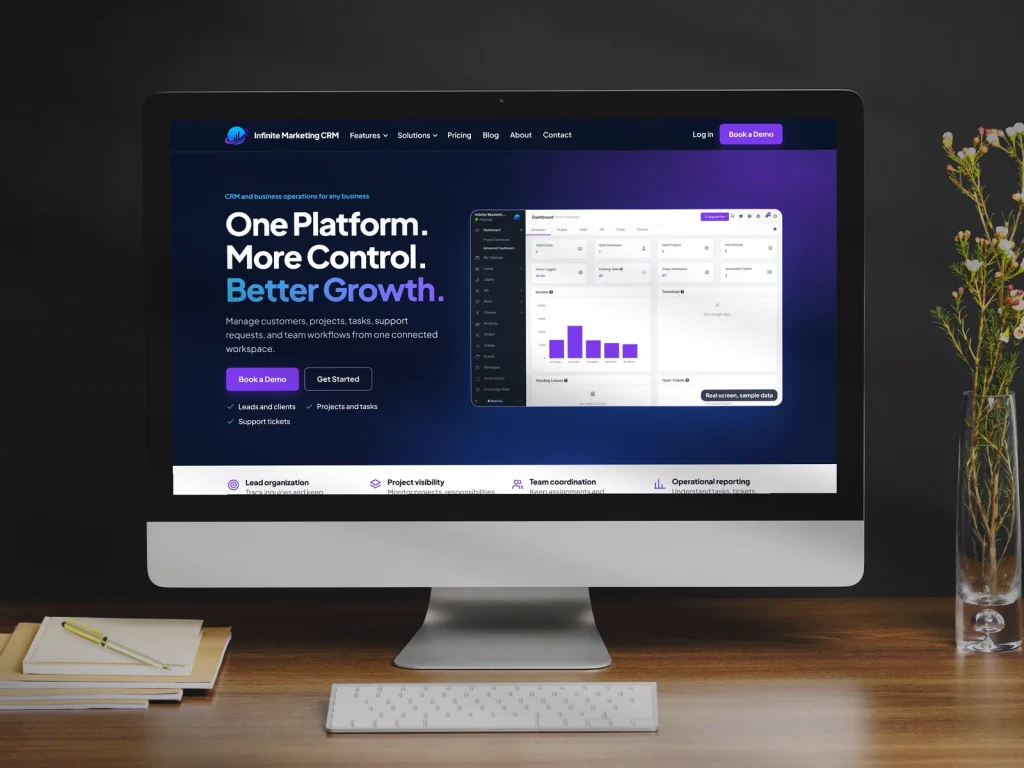
Infinite Marketing CRM is our own CRM and business-management system. Its site describes tools for managing customers, projects, tasks, and support tickets, with reports on earnings, expenses, tickets, and task progress. Whether it is the right fit depends on what you need. We may recommend it, or we may recommend another platform you already use. Visit the site for current features.
Frequently asked questions
Do I have to switch CRMs?
No. If your current system can capture leads, assign them, and send follow-ups, we usually set it up properly instead of moving you. We only suggest a switch when the current tool truly gets in the way.
Which lead sources can be connected?
Website forms and chatbot conversations are the most common. Others, such as call tracking, booking tools, or ad platforms, depend on what your systems support. We check this at the start.
Will automated messages sound generic?
Not if they are written well. We draft messages in your voice and include specifics such as the service requested, then you approve every message before it goes live.
How long before it is running?
That depends on how many sources and steps are involved. We set up the core of lead capture, assignment, and first response before moving on to longer sequences, so you see the basics working early.
Can this connect to your AI chatbot or phone setup?
That is often the goal. Leads from a website chatbot or messages from an AI phone agent are most useful when they go straight into the system your team works from.
What does CRM automation actually do for a small business?
It makes sure every lead gets a timely, consistent response without relying on someone’s memory or a sticky note. A web form, a missed call or a chatbot conversation goes into one system, is assigned to someone and triggers the next step. For most businesses the issue is less a lead problem than a follow-up problem, and this is the part CRM automation is built to fix.
How do you stop a new lead from sitting untouched?
We set rules for who owns each new lead and how that person is notified, plus a reminder when a lead has gone untouched for too long. Leads move through simple stages that match how you sell, such as new, contacted, quoted, won and lost, and contact history, notes and next tasks stay on the customer record so whoever picks up the phone can see what happened last time.
What reporting comes with CRM automation?
A short report on where inquiries come from, how quickly they are answered and how many turn into work. That kind of report helps you decide where to spend your marketing budget. Once the basics are in use, we review where leads are still slipping and add sequences, reminders or further reports based on what we find. We do not promise a specific increase in leads or sales.
What is Infinite Marketing CRM, and do I have to use it?
It is our own CRM and business-management system. Its site describes tools for managing customers, projects, tasks and support tickets, with reports on earnings, expenses, tickets and task progress. You do not have to use it. Whether it fits depends on what you need, so we may recommend it or we may recommend a platform you already use. Visit its site for current features.
How do you keep automated follow-up from annoying customers?
We keep sequences short and make sure every message can be answered by a real person. A text saying your request was received and someone will call this afternoon is helpful; five automated messages in two days is not. We follow the consent and opt-out rules that apply to email and text messaging, and recommend asking your own advisor about the rules for your industry.
How is a CRM automation setup priced?
The cost depends on how many lead sources, stages and sequences your setup needs, and whether you keep your current CRM. If a fixed-price package fits, you can buy it online; a larger or unusual setup gets a written custom quote instead. Setting the system up and any ongoing monthly service appear as separate charges, and nothing monthly is taken at checkout. See our CRM and business automation pricing.
Should I add marketing campaigns once the CRM is working?
It can be a sensible next step. The CRM makes sure each new inquiry is captured, owned and followed up. Ongoing campaigns for past and existing customers, such as reminders for repeat services, are a related piece of work. Past customers who never hear from you again are one of the places leads get lost. See our email and text marketing automation service.
Does CRM automation make sense for an online store?
The principle is the same for any business: every inquiry lands in one place, someone owns it and the next step happens on time. The stages we define are based on how you actually sell, so they would look different for a store than for a service company. For the wider picture of attracting and keeping online shoppers, see our marketing for ecommerce businesses.
Do you set up CRMs for businesses outside the city itself?
Yes. We are based in Atlanta and work with small and mid-sized businesses across the metro area, remotely and by appointment. Tracing a lead’s path, choosing the system and training your staff on the few daily actions they need can all be arranged that way. One example of a community page is our overview of AI automation for Conyers businesses.
How does the CRM connect with your other AI automation?
The CRM is where leads from other tools are meant to end up. Chatbot conversations, AI phone agent messages and booked appointments are most useful when they land in the system your team works from, with a clear owner and next step. Related services include AI appointment scheduling and lead generation. Our page on AI automation in Decatur, GA shows how we describe these tools for one community.
Pricing
Lead capture, CRM pipelines and automated follow-up. One-time fees and monthly services are always shown separately.
Every lead lands in one CRM and gets a fast, consistent follow-up.
$499
setup
+ from $99/mo after launch
- Setup: up to 3 lead sources (forms, chatbot, phone agent) connected to one CRM
- Pipeline stages set up for your sales process
- Up to 3 automated follow-up sequences
- Instant new-lead alerts to your team
See full pricing, limits and upgrades
Get a free quote
Tell us about your project and we will reply with a quote. This service is quoted for your business after a free consultation.