CRM automation for auto repair shops is about one thing: making sure no customer who reached out falls through the cracks. A driver calls about a grinding noise, fills out a quote form at 9 p.m., or gets an estimate for brakes and says “let me think about it.” Every one of those is a lead. Whether it becomes a repair order often depends on what happens in the next hour and the next week.
Service advisors are busy with the customers in front of them. A CRM with sensible automation handles the routine follow-up so the shop can stay responsive without adding front-desk staff. This article walks through the workflows that matter most for independent shops and what to watch out for.
Where repair shop leads usually leak
Before automating anything, it helps to see where leads get lost. In most independent shops it is the same handful of places:
- Missed calls during busy hours. The phone rings while the advisor is walking a customer through an inspection, and the caller tries the next shop.
- After-hours form submissions. A website quote request arrives overnight and sits in an inbox until someone checks it.
- Declined or deferred estimates. A customer approves the urgent repair but defers the recommended work. Nobody follows up when it actually becomes due.
- One-time customers. Someone visits for a single repair and never hears from the shop again until they need another one, by which point they may have forgotten your name.
- Leads scattered across tools. Calls in one system, web forms in email, reviews in another app, and customer history in the shop management software, with no single view.
What a CRM actually does for a repair shop
A CRM (customer relationship management system) keeps a record for each customer and lead: contact details, vehicles, source, conversations, and status. Automation adds rules: when something happens, do this next. Most shops already have shop management software for repair orders, parts, and invoicing. The CRM’s job is different. It manages the relationship before and after the repair order, especially the follow-up.
Check how your CRM and your shop management system will share data before you buy anything. Some connect directly, some need a middleware tool, and some require manual exports. A CRM that does not know which customers already came in will send the wrong messages.
Five automations that make a real difference
-
Instant acknowledgment of new inquiries
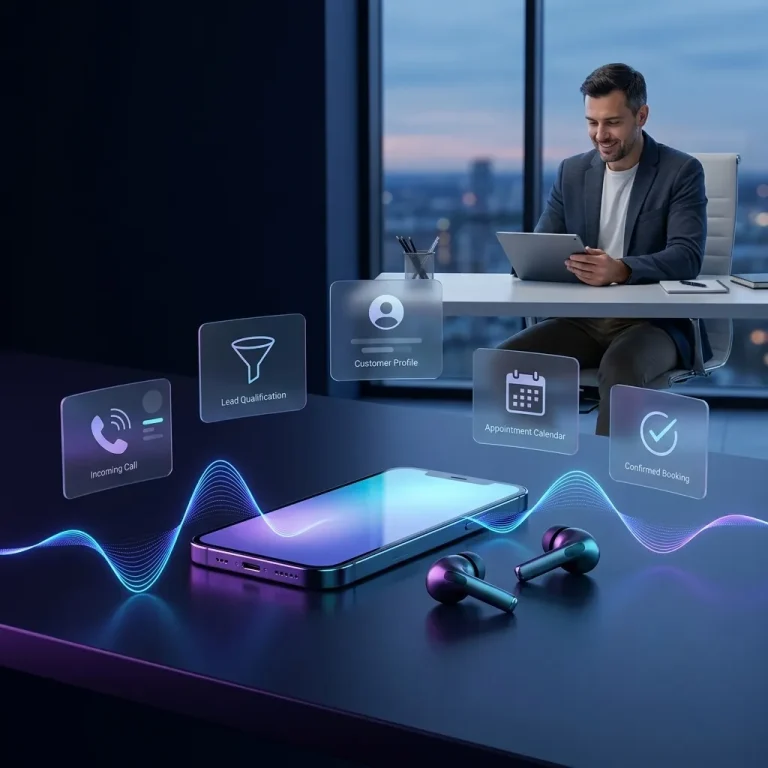
When a web form or online booking request arrives, the CRM sends an immediate text or email confirming you received it, sets expectations (“we’ll call you by 10 a.m.”), and creates a task for an advisor. The customer knows a real shop is on it, which reduces the chance they keep calling around.
-
Missed-call follow-up
If a call goes unanswered, the system can send a short text: “Sorry we missed you, this is [Shop]. Reply here or book a time at this link.” Then it alerts the front desk. This only works if someone actually replies to those texts during business hours.
-
Estimate follow-up
When an estimate is sent but not approved, a sequence checks in after a day or two with a plain message and an easy way to ask questions. Keep it to a few messages and stop as soon as the customer responds or books.
-
Deferred-work reminders
If an inspection noted tires or brakes nearing the end of their life, schedule a reminder for when that work is likely due. This is helpful, not pushy, because it comes from an actual inspection on the customer’s vehicle.
-
Service and review requests after the visit
After the repair order closes, send a thank-you, a link to leave a review, and later, a maintenance reminder based on the service performed. Ask every customer for a review, not just the ones you think are happy; Google’s review policies prohibit selectively soliciting positive reviews.
Pipeline stages that fit a repair shop
A simple pipeline makes it obvious which leads need attention. Many shops do fine with five stages:
| Stage | What it means | Typical automation |
|---|---|---|
| New inquiry | Call, form, chat, or booking request received | Acknowledgment message, advisor task |
| Contacted | Advisor has spoken with the customer | Reminder if no appointment within a set time |
| Appointment set | Vehicle drop-off is scheduled | Appointment reminder the day before |
| Estimate pending | Inspection done, approval needed | Short follow-up sequence |
| Won or deferred | Work approved, or postponed to a later date | Review request, or a future reminder |
The value is less in the stages themselves than in the reports they make possible: how many inquiries came from Google search versus your Business Profile versus referrals, and how many turned into repair orders.
Connecting marketing to the CRM
Automation is only as good as the leads feeding it. For a repair shop, those usually come from local search, your Google Business Profile, and your website. A few connections make the data trustworthy:
- Send website forms straight into the CRM with the page they came from and any campaign tags.
- Use call tracking that records the source of each call, and log calls in the CRM.
- Tag leads by vehicle make and service type so you can see which services your marketing is actually bringing in.
- Feed closed repair orders back into the CRM so you can measure leads that became revenue, not just form fills.
When that loop is closed, it becomes clear whether pages about specific services, such as brake repair or check-engine diagnostics, are pulling their weight. That is the kind of insight that shapes an auto repair SEO plan.
Caveats worth taking seriously
Consent for texting
Business text messaging in the US is subject to consent rules and carrier registration requirements. Collect clear permission before sending marketing texts, include opt-out instructions, and confirm current requirements with your provider and legal advisor.
Do not over-message
A customer who gets six texts about a deferred estimate will block the number. Fewer, well-timed messages convert better than many generic ones.
Keep a human in the loop
Automation handles the reminders. Diagnoses, pricing questions, and upset customers need a person. Make it easy for any message to route to an advisor.
Clean data first
Duplicate customers and missing phone numbers make automation misfire. Spend time cleaning records before switching on sequences.
Getting started with CRM automation for auto repair shops
You do not need to automate everything at once. A sensible first phase is instant acknowledgment of web inquiries plus missed-call text-back, because those touch the leads most likely to go elsewhere. Add estimate follow-up next, then post-visit review and maintenance reminders.
Our CRM automation service sets up these workflows around how your shop already operates, and our automotive marketing work makes sure the leads coming in are the kind you want. We also offer our own system, Infinite Marketing CRM, a CRM and business-management platform for customers, projects, tasks, and reports; visit the site for current features. We will tell you honestly whether it fits your shop or whether another tool that connects to your shop management software makes more sense.
Frequently asked questions
Doesn’t my shop management software already do this?
Some shop management systems include reminders and customer messaging. Check what yours offers first. A CRM tends to add lead tracking before the first visit, source reporting, and more flexible follow-up sequences.
Will automated messages feel impersonal?
Not if they are short, written in your shop’s voice, and triggered by something real, like an estimate or an inspection finding. Generic blasts feel impersonal; relevant reminders do not.
How do I know if it is working?
Track response time to new inquiries, the share of estimates approved, and how many deferred-work reminders turn into appointments. Compare against a few months before you started.
Is this only for large multi-bay shops?
No. Smaller shops with one or two advisors often benefit most, because they have the least time to chase follow-ups manually.